






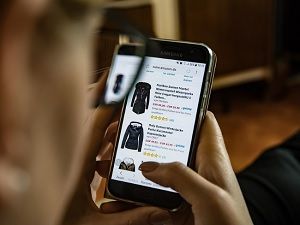
According to Alexa, Amazon is the 4th most visited website in the United States and ranks 8th worldwide. To say that it gets a lot of traffic every day would be an understatement, which is why a newly discovered phishing campaign pretending to come from Amazon is so disturbing.
Although Amazon sees heavy traffic every day of the year, things get especially frenzied during the holidays as shoppers flock to the company's website to buy Christmas presents for friends and family. Scammers know this and seek to take advantage of unwary shoppers, thus the genesis of their latest campaign. The security firm EdgeWave has been monitoring the development of the campaign.
Scammers are sending out well-crafted, sophisticated emails that appear to come from Amazon, featuring subject lines designed to draw the attention of online shoppers, such as "Your Amazon.com Order" Or "Your Amazon Order (order number) has shipped."
Naturally, if you've purchased something from Amazon, you'll be inclined to open the email to get more information. You'll then be presented with something that appears to be a legitimate order confirmation, although lacking in any specific details about the product.
In lieu of that, the scammers have placed an 'Order Details' button in the email, inviting users to click for additional information. Unfortunately, clicking the link downloads a word document onto the user's device. If the user tries to open it, they'll get a message that says they need to enable content in order for the message to be properly displayed.
What this does in actuality though, is enable macros, which hackers and scammers have been using for years to inject malicious code onto PCs around the world, and sure enough, that's exactly what happens in this case.
EdgeWave researchers have tested the poisoned document and discovered that as the download begins, what is apparently being downloaded is a file called 'keyandsymbol.exe'. However, embedded in the code, they found references to mergedboost.exe.
By now, most people know better than to click links or open files, even when they seem to come from a trusted source. This latest campaign underscores the importance of ongoing education and friendly, periodic reminders.
Google is taking additional steps to protect its Chromebook user base. Currently, if a hacker has physical access to your machine, he or she could insert a flash drive in the USB port and run malicious code from it.
The company is adding a new feature called USBGuard, which blocks USB port access any time the machine's screen is locked.
If you're not a Chromebook user, you may not be aware that Chrome OS is open source and the OS is web-based, which makes it a true innovation in the PC and smart device ecosystem. The new feature is currently available for testing and experimentation in Chrome OS Canary builds, and should be making an appearance in a stable release before the second quarter of 2019.
Once the feature is available, all you will need to do to use it is add the following flag:
Chrome://flags/#enable-usbguard
That's all there is to it. It's a great feature addition that shows Google's commitment to the security of their user base, although in fairness, Google wasn't the first company to introduce something like this. That distinction goes to Apple. In 2018, the company introduced a similar update to iOS build 11.4.1 that required users to unlock their devices after an hour of inactivity before any USB port related activity would be allowed.
Although most home users have little to fear from physical access-based attacks, they pose a significantly greater risk to businesses of all shapes and sizes. The simple truth is that over the course of any given day, a whole host of people not employed by your company have access to your facilities, and by extension, your equipment.
Granted, most of these people have no malicious intent, but it's easy for a bad actor to slip in unnoticed, and few companies have robust measures in place to prevent or detect it. Something to think about.

Chromebooks are fun, cool machines that are incredibly popular with students, hipsters, artists, and the like. However, the company hasn't been able to penetrate the Enterprise market with their product. It's not hard to understand why.
Overwhelmingly, businesses use Windows-based machines. Many of the applications businesses rely on simply won't work on a Chromebook, and there's no viable equivalent. Even if there was, why bother switching when what you have is working?
It's a fair point, and Google is taking steps to remove that objection to giving their Chromebooks a try in the Enterprise environment. The company is currently working on a dual boot Chromebook that will allow users to select either Windows 10 or ChromeOS at startup.
It's a lot harder than you might think. Unlike Linux, which can coexist on the machine with ChromeOS, allowing users to run both operating systems at once if you like, that's simply not possible with Windows. You can run one or the other, but you can't run them both at the same time.
It's an interesting move, but industry insiders don't expect the change to boost Chromebook's Enterprise footprint much. True, if an employee has a Chromebook at home and sometimes does work on it, the dual boot option will make that easier to do. Honestly though, the Chromebook doesn't bring anything new or terribly useful to the Enterprise environment. Until and unless that changes, having a Chromebook that's capable of running Windows 10 is interesting, but also unlikely to change many minds.
Even so, if you have employees who have been complaining that they can't use their Chromebook to do work for your company, let them know that's soon to be changing. It's a small thing, and it won't impact a huge swath of the people you employ, but it might bring smiles to a few faces at your firm and improve morale. That's never a bad thing.
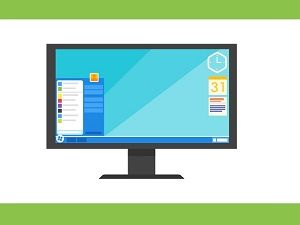
This spring, Windows 10 users will be treated to a raft of exciting new features.
Currently, the company's massive test group of Windows Insiders is enjoying playing with them, but they'll be available to everyone in the early part of next year.
Here are a few of the goodies you have to look forward to:
Windows Dark
Recent research has indicated that by using dark-colored themes on smartphones, you add up to 40 percent to your phone's battery life. This research has prompted Google to begin offering "dark" versions of a growing number of its apps.
Microsoft is borrowing that page of the company's playbook, and will begin introducing dark theme support to its File Explorer. Currently, users can enable Dark Theme support for file explorer, but to do so, they have to enable the system-wide Dark theme setting. The coming change will allow users to enable the dark File Explorer theme independently of that setting.
Changes To Task Manager
At present, the company is testing a new feature that will allow users to select one of the tabs as the default, choosing from between performance, app history, startup, users, details and services. It's a small change, but significant, and one that a large segment of the user base has been clamoring for for quite some time.
Changes to Cortana
Microsoft is constantly testing and tweaking their digital assistant, so this one comes as no surprise. The company is currently exploring the idea of splitting Cortana and search. Therefore, these two features will appear as separate icons on the task bar. Another change under consideration is one where users will be allowed to swap out Cortana as their digital assistant for Alexa or some other offering, system-wide. Imagine being able to talk to Alexa via your PC!
These, and many other changes are ahead for Windows 10 in the months ahead. It will be interesting indeed to see how the OS's massive user base responds to them, and which ones are enthusiastically embraced.

According to data collected by Truecaller, the number of robocalls worldwide increased by a staggering 300 percent in 2018, although they were down slightly in the U.S. This data, however, should be taken with a grain of salt for two reasons.
First and foremost, Truecaller did not research to collect the data. They mined it from data collected by the people who use the Truecaller app.
Second, and perhaps less impactful is the fact that in China, Truecaller has been branded as spyware, although no other nation that we know of has designated the app as such. In any case, Truecaller boasts and impressive, global user base, and their statistics are intriguing, if incomplete.
Users in the United States, ranked as the 2nd most spammed nation on the planet, fell to 8th place this year, receiving an average of 17 robocalls a month, down from 21 a month according to last year's data.
India, which was listed as the most spammed nation on the planet last year dropped to second place, and saw an overall decline in the number of robocalls received of 1.5 percent.
Contrast that with Brazil, which topped this year's list as the most spammed country, with users there receiving a staggering 37 robocalls a month, mostly on account of the nation's recent contentious election.
Overall, Truecaller users received a total of 17.7 billion spam calls between January and October of this year.
While the company offered no explanation as to what was driving the decline of spam calls in the US, industry insiders point to efforts by law enforcement to rein the industry in. This includes the fact that the Federal Trade Commission has filed a number of lawsuits over the course of this year. The FCC has taken a much more active hand, in one case, fining a robocall company a staggering $82 million dollars.
Whatever the reason, people living in the US do seem to be seeing fewer robocalls this year, even as the global trend accelerates, which is good news indeed.

Microsoft recently announced an addition to Windows 10 that should make the lives of Enterprise and power users a whole lot easier.
Running an unknown, untrusted .exe file on your machine can be an event that fills you with dread.
The best case, of course, is that everything turns out fine. Worst case, the file you thought was going to be helpful winds up being ransomware or some other malicious program that can bring your operation to a screeching halt.
The new feature, called Windows Sandbox, will be included in an as yet unspecified 2019 Windows 10 release, but members of the massive test group will be able to start playing with the feature on or around build 18305.
Any time you want to run an unknown or untrusted program, you'll be able to create a lightweight instance of Windows 10 and your desktop, running the executable file in isolation from the rest of the system. Then, whatever consequences arise from running the file will vanish when you close out the virtual session.
The only thing you'll need to do in order to take advantage of the new capabilities will be to enable virtualization capabilities in your system's BIOS. Do that, and you're all set.
Industry insiders are thrilled at the prospect of the rollout of the new feature, as it gives the business community an easy way to test software in a safe environment. Currently, the only options available are cumbersome and time-consuming. As such, they're not widely used.
The hope here is that Windows Sandbox will be an important plank in a broader strategy designed to stem the tide of ransomware and other forms of attacks that are having an increasingly large impact on the business community. Kudos to Microsoft!
Recently Facebook fessed up to a bug in their photo API that exposed the photos belonging to nearly seven million of the company's users to app developers.
The way the photo API is supposed to work is as follows: When you give an app permission to access your Facebook photos, that app is only supposed to gain access to the ones you've posted on your timeline.
The photos you've uploaded but have not shared are supposed to be strictly off limits.
Unfortunately, that's not the case at all. According to a statement released by the company, some fifteen hundred apps controlled by 876 developers had access to every photo that users of those apps had uploaded to Facebook, whether they were a part of that user's timeline or not.
The company reports that the bug has now been fixed, but that app developers had access to all photos between September 13th and September 25th of 2018.
The obvious question is, if the company knew about the issue back in September, and they've already fixed it, why is it that we're only hearing about it now?
The company's explanation is both thin and weak. A Facebook spokesman simply stated that it took time to investigate the matter, including finding out which apps and users were impacted by the bug, and then to build the warnings (including translations into multiple languages) to warn the potentially impacted users.
Be that as it may, the standard protocol for such incidents has been immediate notification, followed by ongoing investigation, and sending out official notices to impacted parties.
Facebook issued a standard, terse apology, but has not offered any additional explanation as to why the disclosure was such a long time coming. It's unlikely that we'll get an explanation beyond the one already given, unsatisfying or not.
This is but the latest in a long stream of similar "incidents" the company has reported on in recent months. One wonders how many more terse apologies we'll be seeing in the months ahead.
