







Microsoft recently confirmed that an account belonging to one of their employees was compromised by the Lapsus$ hacking group, which allowed them to abscond with portions of the company’s source code.
Yes, you read that correctly. Microsoft got hacked. They now join the latest in a seemingly unending parade of large tech companies to have been hacked by well-organized hackers.
In this case, the attackers made off with a head-spinning 37 GB of data. Most of it was in the form of source code for a wide range of internal Microsoft projects including those for Bing, Cortana, and Bing Maps.
The company had this to say about the incident:
“No customer code or data was involved in the observed activities. Our investigation has found a single account had been compromised, granting limited access. Our cybersecurity response teams quickly engaged to remediate the compromised account and prevent further activity.
Microsoft does not rely on the secrecy of code as a security measure and viewing source code does not lead to elevation of risk. The tactics DEV-0537 used in this intrusion reflect the tactics and techniques discussed in this blog.
Our team was already investigating the compromised account based on threat intelligence when the actor publicly disclosed their intrusion. This public disclosure escalated our action allowing our team to intervene and interrupt the actor mid-operation, limiting broader impact.”
An investigation into the matter is ongoing but already the company has assessed its own processes and is making changes to further bolster their security.
They recommend doing the following:
Strengthen MFA implementation
Require Healthy and Trusted Endpoints
Leverage modern authentication options for VPNs
Strengthen and monitor your cloud security posture
Improve awareness of social engineering attacks
Establish operational security processes in response to DEV-0537 (Lapsus$) intrusions
No one is safe, but kudos to Microsoft for their transparency here and for publishing specific steps that others can take to help minimize their risks.

Do you use Windows Server 2019? If so, then you may be experiencing some issues as of the latest update. According to details published on the Windows Health Dashboard, customers who installed updates released on January 25th or later may experience DNS issues relating to DNS stub zones.
The company had this to say about the matter:
“After installing updates released January 25, 2022 (KB5009616) and later on affected versions of Windows Server running the DNS Server role, DNS stub zones might not load correctly, which might cause DNS name resolution to fail.”
In addition to the update referenced above, there are two other updates which may cause the issue. These are KB5010427 which was released on February 15th and KB5011551 which was released on March 22nd.
The good news is that Microsoft has fixed the issue via the Known Issue Rollback (KIR) feature, but it should be noted that it will not propagate to impacted devices automatically.
To make sure the fix lands on the servers you need it to Admins will need to download and configure a pair of new group policies. Details on which files to download and how to configure them can be found on a Microsoft blog post entitled “Group Policy to Deploy a Known Issue Rollback.”
It’s also worth mentioning that the January update for Server 2019 was especially problematic and Microsoft has previously fixed several issues related to that update. These issues include but are not limited to a Bluetooth issue that was causing the dreaded “Blue Screen of Death,” random Windows Domain Controller Restarts caused by LSASS crashes, a Windows Active Directory bug, and Netlogon issues.
Here’s hoping this is the last of the issues related to the January update and that the company’s updates going forward won’t be quite so problematic!

Do you have a Wyze Cam? If you’re not sure what that is, it’s an internet camera that offers a low-cost solution to those who are interested in playing around with video and not willing to spend a ton of money on it.
Unfortunately, in this instance it’s a budget option with a bite and a significant drawback. The camera has a bug in its firmware which allows for unauthenticated remote access to videos and images stored on the camera’s local memory cards.
Even worse, although this bug has never been assigned a CVE ID, it has been a known issue for more than three years. Any remote user listening on port 80 can access the contents of the SD card in the camera.
The issue is that upon inserting an SD card into the WyzeCam, the camera automatically creates a symlink to it in the www directory which is served by the WyzeCam webserver without any access restrictions whatsoever.
So basically, if you have one of these be very careful about what images and videos you store on it because literally anyone who wants to can snoop around your camera and see what you’ve been taking videos and pictures of.
Worst of all is that most of the people who use this type of equipment tend to use a “set and forget” philosophy, so you may have purchased one of these months or even years ago and not given the matter another thought.
If that’s the case, it pays to do some housekeeping. Review the contents of the SD card and possibly disconnect the camera. If that fails, relocate it and only turn it on when you’re sure you want to record something.
This is going to continue to be a problem with most of the equipment on the “Internet of Things” until we hold manufacturers to account. Not only should this not be an issue at all, but it also shouldn’t have lingered for so long without being attended to. That’s unfortunate.

One of the latest revelations to come from the Windows 11 development team is that Microsoft is working on streamlining the process of setting a default web browser for Windows 11 users.
The new paradigm under development will allow the selection to be made with a single click!
The new change was rolled out on March 28th as part of the company’s “C Week” Windows 11 update preview. The plan is to make the new option available to all Windows 11 insiders as of the next Patch Tuesday update on April 12th.
Microsoft has been aggressive in its efforts to force Windows 11 users to stick with their Edge browser by default. A big part of how they’ve been doing that has been to make the process of switching away from Edge a cumbersome, multi-step process, That has been quite frankly, annoying.
At the end of 2021 however, the company finally decided to change that. No doubt after legions of Windows 11 Insiders complained loudly about the issue and finally we’re beginning to see those changes in action.
If you’re currently using Windows 11 and you don’t want to wait, you can manually download the KB5011563 build preview. Once it is installed go to “Default App” and you can select your default browser with a single click like Windows 10 users can do currently.
We totally understand why Microsoft wants everybody to use their Edge browser. Unfortunately, if that’s what they really want then the solution is to make the Edge browser good enough and compelling enough that users will want to voluntarily switch to it. By forcing the issue, Microsoft is hurting their own case and driving people away from Edge.
It seems that the company is finally on that page, and that’s great news for everyone.
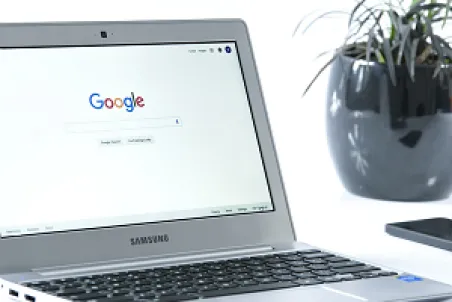
Do you own a Chromebook? If so, be aware that version 100 of the Chrome OS and Chrome Browser boasts a new launcher. Simply press the “Everything” button which is located on the left-hand corner of your screen to open the Chrome OS launcher.
Like the Windows Start button and the macOS “Spotlight” feature, the new launcher helps users search for files, system settings, and apps.
Just so it doesn’t take you by surprise also be aware that the new launcher opens on the side of your screen rather than from the bottom.
The re-vamped launcher displays more information inside the Launcher context, and it has an appearance that will remind you of ‘Snippets’ in Google Search results. The old launcher only showed a sometimes-cryptic summary when displaying web search results. With more information at the user’s fingertips, fewer actions should be required when searching for people, places, or weather updates from the launcher. So the overall user experience should be improved.
We like the left-side launcher placement because it gives more screen real estate to apps you’ve already got opened. It boasts another cool improvement. Users can now organize apps by name or color or if neither of those options are exactly what you’re looking for you can manually organize them as you see fit.
On top of that, Chromebooks are also getting a new GIF-creation tools that allows users to create custom GIFs from inside the Camera app. Just select “Video” and toggle the “GIF” setting to the on position to create a five-second video that is automatically converted to GIF format for sharing on social media.
Finally, Google has also made changes to the Chromebook Dictation feature, which legions of Chromebook users rely on to dictate emails or other documents. Now, you can also edit text with voice commands which is beyond handy.
Great news all around for Chromebook users. If you don’t have one yet, you may want to consider investing in one if for no other reason than to have a cool backup device.
Microsoft recently announced that it was doing a bit of re-branding.
The company's apps that connect Android and iPhones to your Windows PC were formally called "Your Phone." Under the new re-naming scheme, those apps will now be called "Phone Link."
Hand in hand with that change, Microsoft is also re-naming the mobile companion app, which you now know as "Your Phone Companion." That's going away and it will be restyled as simply "Link to Windows."
The "Your Phone" app was launched just three years ago which doesn't seem like enough time to warrant a rebrand. However, the company hasn't shed any light on the thinking that lies behind the decision.
In any case, when it was originally launched, Microsoft envisioned it as a means for users to access the texts, photos, and apps on their phones from the comfort of their PCs. With that original vision in mind, the newly re-styled apps will get an updated interface that looks a bit more like Windows 11.
Support for previous iterations was somewhat limited, but the original "Your Phone" app worked seamlessly with most Samsung devices and was compatible with Microsoft's own Surface Duo dual-screen.
With the recent changes, Microsoft is also adding support for several Honor phones to Phone Link. All that's fine as far as it goes but in some ways this feels a bit like a solution looking for a problem. That is, at least for Google Pixel users.
Pixel users are likely already accessing their text messages from their PCs (which is probably the single biggest draw in terms of functionality) via Google Messages. Given the less than seamless experience with the former "Your Phone" app, there's little incentive to change even with the improvements to the user experience. Although the company may have more luck drawing in non-Pixel users.
In any case, if you're not a Pixel user and you're looking for a way to access the messages and apps from your phone on your desktop, you may want to check out Microsoft's latest on that front.

Diana Lopera is a researcher for Trustwave Cybersecurity and has stumbled across something that’s one part interesting and one part disturbing.
Apparently, a group of hackers are trying a new approach to distribute their malicious code which is leveraging Microsoft’s HTML help files.
Yes, you read that correctly. It’s an innovative technique that’s not only proving to be surprisingly effective, it is also proving to be notoriously difficult to detect. Even worse is that it’s not even a terribly sophisticated attack.
Here’s an overview of how it works:
Naturally, it begins with an email. The email contains a generic subject line and an attachment, often entitled “Reques.doc” or similar.
This file is not a doc, but an .iso file. A disk image. The image contains a pair of files. One of them is a Microsoft Compiled HTML Help file (CHM) and the other is an executable.
By exploiting the capabilities of the help file, the executable can install its malicious payload. In this case it is a malware strain called Vidar.
Vidar then establishes a link to its command-and-control server via Mastodon, which is a multi-platform open-source social networking system. Once that connection has been established, Vidar goes to work harvesting user data from the infected system and exfiltrating it to the command-and-control server.
In at least one confirmed instance, Vidar was also spotted downloading and executing additional malware payloads.
Sophisticated or not, this new campaign has proved to be highly effective. Given that Vidar can serve as how other malware payloads wind up on an infected machine, this should be regarded as a serious threat. Those “other payloads” could be anything from ransomware which will lock all the files on your network, to malicious code that has been optimized to steal banking information and everything in between.
Be sure your employees, friends, and family are aware and on their guard. This is a nasty piece of code.
Do you use Microsoft PowerToys? If you’re not sure what that is then you probably don’t. If you’re curious, Microsoft has an open-source set of tools called PowerToys which is designed to allow power users to customize their Windows environments to taste.
In some instances, for some Microsoft 365 users, if the user in question also has PowerToys installed, it may cause an issue with Outlook’s PDF previewer. So when you get an email with a PDF attachment, and the conditions laid out above are also true, Outlook’s built in PDF viewer may not function for you.
This is obviously not an issue that is impacting millions of users around the world. The conditions described above would only apply to a tiny slice of Windows 10 users. If you happen to be a Windows 10 user and you use Microsoft 365, you have PowerToys installed, and you also get emails with PDF attachments on a regular basis, you may have noticed this problem.
If it crops up for you, you’ll get a message telling you that Outlook is unable to preview the file because there is no previewer installed for it.
According to Microsoft, one of the reasons this error appears is because there is a PDF preview File Explorer add-on bundled with Microsoft PowerToys. This add-on over-rides the PFD Preview setting in Microsoft 365.
Fortunately, if you are being impacted by this error there’s a simple fix for it. You can simply open your PowerToys software, clicking “File Explorer Add-Ons” on the left-hand sidebar, and toggle the “Enable PDF Preview” option to off.
Again, this isn’t something that most people will ever even see. There are a very specific set of conditions that must be true for this error to even pop up on your radar. If you are seeing it, now you know why, and knowledge is power.

If you follow the global threat landscape closely, then you may already be aware of a notorious Chinese hacking collective known as “Storm Cloud.” What few people know is that this group seems to be the driving force behind a new variant of malware that researchers have recently spotted in the wild.
Dubbed “GIMMICK” by the researchers at Volexity who first discovered it, the malicious code seems to be a custom tool designed and built by Storm Cloud specifically to target Mac users.
Once GIMMICK has found its way onto a target system, it quietly installs a trio of malware components called DriveManager, FileManager, and GCDTimerManager.
The DriveManager component gives the malware the following capabilities:
Manage the Google Drive and proxy sessions.
Maintain a local map of the Google Drive directory hierarchy in memory.
Manage locks for synchronizing tasks on the Google Drive session.
Handle download and upload tasks to and from the Google Drive session.
FileManager as the name indicates, manages the local directory where particulars relating to the command-and-control server are stored, along with the command tasks necessary for file exfiltration.
Finally, the GCDTimerManager handles the management of the various GCD objects.
The researchers at Volexity had this to say about the malware in their recently published report:
“Due to the asynchronous nature of the malware operation, command execution requires a staged approach. Though the individual steps occur asynchronously, every command follows the same.”
The bottom line is that this is a complex, robust malware strain. The good news is that the fine folks at Apple have found ways to guard against this latest threat. The company has rolled out new protections to all supported macOS versions with new signatures for XProtect and MRT.
The new signatures that have been available since March 17, 2022 should protect users against GIMMICK. So if it’s been a while since you updated your OS, now is the time to do so. Kudos to Apple for their rapid response here and to the sharp-eyed researchers at Volexity for spotting the new threat.
