






Another week, another Microsoft “End of Life” reminder to write about.
This time, it’s Windows Server 2012 R2. If you’re a user, then you’re probably already aware of the looming deadline. If you’ve blocked it out of your mind, or if you’ve missed the notifications that Microsoft has been sending out, here’s what you need to know.
The End-of-Life deadline for Windows Server 2012 R2 is October 10, 2023. If you have not begun making transition plans, now is the time to do so. Beyond that date, you’ll no longer receive regular patches or security updates which will put your company at risk.
To minimize that risk, Microsoft recommends updating to Windows Server 2019 at your earliest convenience.
It’s also worth mentioning that Server 2012 R2 will follow Microsoft’s “Fixed Lifecycle Policy,” which means it has 5 years of mainstream support plus an additional five years of extended support.
During the mainstream support period, the product receives all updates and support. During the extended support period, users stop getting non-security-related updates. Once the extended support period ends, all updates cease. Thus, End of Support.
If you’re evaluating the October 10th 2023 deadline with a pit in your stomach, it’s worth mentioning that customers who need more time can opt-in for a paid plan called “Extended Security Update” that gives you another three years, but that’s a hard deadline. After that, there is no more support no matter how much you offer to pay.
The cost of the “Extended Security Update” gets more expensive in each of the three years it’s offered. It amounts to 75 percent of License Cost for year one, 100 percent for year 2, and 125 percent for year three. If you need the extra time to transition away from Server 2012 R2, you may consider that to be money well spent.
In any case, the time to start making plans is now.
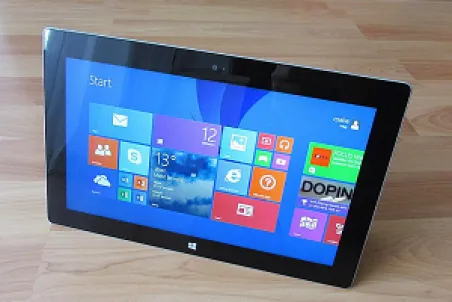
If you are still using Windows 8.1 and if you’ve somehow managed to avoid seeing the parade of notices Microsoft has been sending out, you should know that the end is nigh.
Support for the aging OS will end on January 10, 2023. If you have not already done so, you should begin making plans now to migrate away from that OS, and to something more modern.
This is a similar track the company adopted where the end of Windows 7 support was concerned, and the current deadline should not be a surprise to anyone.
After all, Windows 8 itself reached the end of support back in 2016. Although users of version 8.1 got a considerable extension from that point.
It’s worth mentioning that Microsoft has decided not to offer an Extended Security Update (ESU) program for Windows 8.1, so when the date arrives, that’s it. No matter how much you may want one, you won’t be able to pay for an extension. That means you’ll lose the benefit of ongoing security patches from that point forward.
Although Windows 10 gets the lion’s share of the press for being the most widely used version of the OS of all time, Windows 8.1 was significant for the Redmond Giant.
Windows 8’s initial release was not well received, and the company worked hard to address the (often legitimate) concerns that the OS’s massive user base had. Windows 8.1 was the culmination of those efforts and the Windows 8.1 era of the company’s history saw steady improvements in both aesthetics and functionality.
In fact, it’s fair to say that without the gains made during the Windows 8.1 era, the current OS would still look dated and many of the components that are integral to all of Microsoft’s operating systems might not have yet been overhauled.
In any case, the sun is indeed setting on Windows 8.1. Be sure you’re ready when it goes full dark.

Twilio is the Cloud Communications Company. They are the latest to fall victim to a data breach.
The company recently disclosed that some of its customer data was accessed by unknown attackers who gained access to the system by stealing employee login credentials via an SMS phishing attack, known as ‘Smishing,’ for short.
The company’s disclosure reads in part as follows:
“On August 4, 2022, Twilio became aware of unauthorized access to information related to a limited number of Twilio customer accounts through a sophisticated social engineering attack designed to steal employee credentials.
The attackers then used the stolen credentials to gain access to some of our internal systems, where they were able to access certain customer data.”
The smishing attack succeeded because the attackers were able to convince company employees that the SMS messages they were receiving were coming from the company’s own IT department. The messages contained URLs containing the keywords “Twilio,” “SSO” and “Okta” which are commonly used by the company.
Unfortunately, if an employee tapped these links, they would not be taken to company resources but rather to a page that had been cloned to appear as a legitimate company sign in page.
Here, they received a message that their password had expired, and the employee was asked to enter their information as part of the process of changing it.
Naturally, this action did not change the employee’s password, but it did hand it over to the hackers waiting on the other end.
Per a Twilio spokesman, the attackers were only able to access data belonging to a limited number of customers, and the company is currently in the process of reaching out to those who were impacted.
If you have a Twilio account and are not contacted, your data and your account should be fine. If you are contacted, Twilio will provide you with additional information at that time.

Are you a fan of NFTs? If so, you’ve probably heard of OpenSea, which is the largest marketplace for non-fungible tokens.
If you have an account there, be aware that recently the company disclosed that their network had been breached and they issued a warning to their clients urging them to be on the lookout for possible phishing emails.
Cory Hardman is OpenSea’s head of security. According to Hardman, an employee of Customer.io, which is the company’s email delivery vendor, downloaded a file containing email addresses that belong to OpenSea users and newsletter subscribers. The precise number of email addresses the attacker made off with was not disclosed.
Mr. Hardman said:
“If you have shared your email with OpenSea in the past, you should assume you were impacted. We are working with Customer.io in their ongoing investigation, and we have reported this incident to law enforcement.”
This is not the first time OpenSea users have been targeted. Last year, threat actors impersonating fake support staff successfully absconded with roughly two million dollars (USD) worth of NFTs. Last September (2021) the company addressed a security flaw that allowed attackers to empty an OpenSea user’s cryptocurrency wallets by luring them to click on maliciously crafted NFT artwork.
Although the industry is still in its formative stages, it has grown at a blistering pace. OpenSea is the largest marketplace in the NFT industry. They boast more than 600,000 users and total transactions that surpass $20 billion (USD) which make it a prime target for hackers.
Sadly, this will almost certainly not be the last time OpenSea and other NFT markets find themselves in the crosshairs.
If you have an account there, be on high alert. Odds are good that the attacker will try to put your email address to malicious use.
Recently, Google announced a small but significant change to Google Docs. Now, if you have enabled offline access for files you have stored on your Google Drive, the system will auto-sync any Microsoft PowerPoint, Excel, or Word files if you have opened them with Google Slides, Sheets, or Docs.
This is a tremendously handy change.
It allows you to switch freely between Google Docs and Microsoft Word, for example, giving you the best of both worlds and a fantastic amount of added convenience.
Since the update, there are a few lingering misconceptions about the capabilities of the new feature.
Here’s the scoop:
- It only works if you’re using Chrome or Microsoft Edge as your desktop browser
- You can create, open, and edit Google Docs, Sheets, and Slides offline
- You can edit Microsoft Word files (.docx), Excel files (.xlsx), and PowerPoint files (.pptx) directly within Google Docs, Sheets, and Slides respectively with no need to convert the files you’re working on
Naturally, you must be signed into your Google account to make any offline syncing possible. Note that your Google Workspace administrator may choose to implement a policy that prevents access to Workspace data offline as a security protocol.
It’s hard to understate just how handy this feature is if you’re in the habit of moving between document editing and creation ecosystems. Once you give it a try though, you’re probably going to wonder how you ever got along without it.
Kudos to Google for working with their tech rival and going the extra mile to create an even better user experience. Though it’s certainly true that the company has made its share of missteps, it is improvements like these that demonstrate why Google is among the best of the best.
Give the new feature a try. We think you’ll love it.

Do you have a Twitter account? Have you been patting yourself on the back while assuming that your identity was a secret, allowing you to ply the waters of Twitter in anonymity?
Unfortunately, that’s probably not the case. Recently, Twitter disclosed the existence of a critical security vulnerability that allows someone to discern whether a specific phone number or email address is associated with an existing Twitter account.
The company’s blog post related to the matter reads in part as follows:
“In January 2022, we received a report through our bug bounty program of a vulnerability in Twitter’s systems. As a result of the vulnerability, if someone submitted an email address or phone number to Twitter’s systems, Twitter’s systems would tell the person what Twitter account the submitted email addresses or phone number was associated with, if any.”
So much for anonymity.
Apparently, the flaw in the system arose from a code update that the company performed back in June of 2021.
The flaw existed in the code for a total of seven months before Twitter engineers discovered and fixed it. During that time, someone exploited it. Data tied to more than 5.4 million Twitter users was found for sale on the Dark Web, with the hackers charging a hefty $30,000 (USD) for access.
Twitter has announced that they’ve begun the process of reaching out to any user whose data was compromised.
If you are contacted by Twitter regarding this issue, there’s really nothing to be done. Your information is out there. Out of an abundance of caution, it would be wise to change your password. If you use the same password on Twitter that you use elsewhere on the web, change those too.
While we’re on that topic, if you are in the habit of using the same password across multiple web properties, now would be an excellent time to develop a new password habit.

Researchers at Lumen’s Black Lotus Labs recently spotted evidence of a highly sophisticated and tightly targeted campaign aimed at SOHO (small office/home office) routers across both Europe and North America.
Based on the evidence the team has collected thus far, their conclusion is that the unidentified actor must be state sponsored. This is because garden variety hackers do not typically have the tools, techniques, and procedures in place to pull off the kinds of attacks that the researchers are seeing.
It is telling that this campaign’s ramp up coincided with the pandemic-fueled shift to large numbers of employees working from home.
A recently published summary report about the campaign reads in part, as follows:
“This (the massive surge in people working from home) gave threat actors a fresh opportunity to leverage at-home devices such as SOHO routers – which are widely used but rarely monitored or patched – to collect data in transit, hijack connections, and compromise devices in adjacent networks.
The sudden shift to remote work spurred by the pandemic allowed a sophisticated adversary to seize this opportunity to subvert the traditional defense-in-depth posture of many well-established organizations.”
The report goes on to say that:
“The capabilities demonstrated in this campaign – gaining access to SOHO devices of different makes and models, collecting host and LAN information to inform targeting, sampling and hijacking network communications to gain potentially persistent access to in-land devices and intentionally stealth C2 infrastructure leveraging multi-stage siloed router to router communications – points to a highly sophisticated actor that we hypothesize has been living undetected on the edge of targeted networks for years.”
This is a genuine threat. Although your IT department is likely stretched as thin as it is, one of the best ways you can minimize your risk is to assist your employees who are working from home with patch planning to make sure their gear is up to date and as well protected as possible.

Apple has recently announced a new string of updates for their OS family including iOS, iPadOS 15.6, macOS 12.5, watchOS 8.7 and tvOS 15.6.
Bear in mind that the next version of all of these will be out in just a few months, so these updates are a bit light on features as compared to others we’ve seen from the tech giant.
Here’s a quick overview of what you’ll find in the operating systems in question:
- For macOS, you’ll get an update to the TV app that allows you to pause, rewind, restart, and fast forward a live sports game. It also includes a bug fix for your Safari browser.
- For iOS and iPad OS 15.6, you’ll get the same TV app upgrade described above and a handful of bug fixes for Settings, Safari, and Mail.
- The watchOS 8.7 includes a raft of minor bug fixes and a couple of important security updates you won’t want to miss.
- And the tvOS gets a slate of general performance and stability improvements.
All of this is in addition to the usual security updates that accompany updates like these. Of interest, Apple specifically did not specify which of the bug fixes they released were actively being exploited in the wild.
Note that if you have an Apple TV or an iWatch, those are almost certain to be set to automatically update. If you’re using an iPad and your device doesn’t update automatically, just head to Settings, General, and Software Update to get the latest.
Finally, if you’re using a mac and it isn’t set up to get updates automatically, you can get the latest by heading to Apple Menu, System Preferences, and Software Update.
By the time you read this piece, all of the updates should be available for everyone, so install at your convenience.

The more efficient you are, the more effective you are. That’s true whether you’re working from the office or from home.
Fortunately, most office environments lend themselves to being efficient, so there’s probably not much you need to do on that front. So, the tips below are aimed mostly at those who are working from home.
Having said that, if you want to try and squeeze out a bit more efficiency from your office setup, you can certainly apply these ideas there too!
1 – A second monitor
One thing that’s true about modern work life is that it’s complicated. On any given day, depending on what you do for a living, you need to access a stunning range of online resources. So many in fact, that it can be a little overwhelming.
The advent of tabbed browsing has helped somewhat. However, if you find yourself having to access your email system, several locations on your company’s network, and several online applications during a typical workday, having a second monitor can be a real lifesaver. Consider it a matter of “dividing and conquering” digital style.
2 – Remove distractions
This is a big one for anyone working from home. Most offices are inherently designed to minimize distractions. If you’re working from home and have decided to set up shop at the kitchen table, you could find your work day to be absolutely riddled with distractions.
Far better than the kitchen table would be a seldom used spare room if you have one. A place you can go and shut the door as needed so you can focus on the task at hand. If that’s not possible, then communication with and understanding from your family is key so they know that when you’re working, you’re working.
3 – A visually interesting space
Our minds don’t tolerate monotony and drudgery very well. Most people need at least a splash of color to make a space visually interesting to work at something close to peak efficiency.
That will take different forms for different people. Some might be enchanted by the idea of a small deskside plant. Others will want a visually interesting picture on the wall or on their desk. Find your thing. Find that component that puts your mind at ease and add it to your work environment. You’ll be amazed at the results!
Efficiency is as much about organization as it is a state of mind. Both of those elements need to be working in tandem if you want to maximize your efficiency and your productivity.
