







Recently Zoom, a popular, cloud-based communications platform used for online meetings and video conferencing, experienced an outage that impacted tens of thousands of users worldwide. The issue began shortly after 8:00 am PDT on Thursday, September 15, 2022, when users reported that they could not log in or join meetings. At 8:17 PDT, the company posted the following message on their incident status page:
“We are investigating reports of zoom.us being unavailable.
Our teams are currently investigating the service-impacting event. Our engineers are investigating.”
By 8:30 PDT, the company’s engineers had identified the issue, and the company updated the incident status page with the following:
“We have identified the issue starting and joining meetings. We will continue to investigate and provide updates as we have them.”
By 8:37 PDT, the interruption appeared resolved as the company moved to monitor the situation. Zoom posted the following update:
“We have resolved the issue causing users to be unable to start and join Zoom Meetings. We will continue to monitor and provide updates as we have them.”
Then, at 8:49 PDT, Zoom’s engineers were confident that the issue would not recur and formally closed the incident.
Zoom did not release any technical details as to what caused the outage. In any case, if you are a Zoom user and could not log in for a time yesterday morning, this was the reason.
This severe but quickly resolved issue serves as a reminder that any company is susceptible to outages. Therefore, it is crucial to have different technology avenues to switch to your backup option when a similar outage occurs without losing time in your day.

Even if you don’t consistently install Microsoft’s security patches as soon as they’re released, the September 2022 patch released this week deserves immediate attention.
Dozens of bugs, flaws, and vulnerabilities were addressed in this iteration, including fixes for:
- *30 Remote Code Execution vulnerabilities
- 18 Elevation of Privilege vulnerabilities
- 16 Edge/Chromium vulnerabilities
- 7 Information Disclosure vulnerabilities
- 7 Denial of Service (DoS) vulnerabilities
- 1 Security Feature Bypass vulnerability
In addition to the above, the patch also addresses two zero-day vulnerabilities. The first of these is being tracked as CVE-2022-37969.
It was discovered independently by researchers from CrowdStrike, Zscaler, Mandiant, and DBAPP Security. Described as a Windows Common Log File System Driver Elevation of Privilege Vulnerability, hackers are currently exploiting this flaw in the wild.
The other is being tracked as CVE-2022-23960 and is described as a Cache Speculation Restriction Vulnerability.
The researchers at VUSec who discovered the issue have dubbed it “Spectre-BHB” and utilize Branch History Injection to allow for speculative execution. While it is similar to the Spectre security flaws found in chipsets last year, it is only tangentially related. Furthermore, there is no evidence that hackers are currently exploiting it.
On top of the impressive bug fixes, this release also includes improvements to Microsoft Defender and enhanced IT administrators’ capabilities to make it easier to control language-related features remotely in the OS.
Patch Tuesdays are always significant, but this one is even more critical than most. If you haven’t already done so, head to Microsoft’s website and install it on all your Windows 10 devices running versions 1809, 21H1, and 21H2. Also, note that one week before Microsoft released this patch, they released Windows 10 builds KB5017308 and KB5017315, which addressed various performance issues and patched twenty bugs.
Patch Tuesday is a regularly scheduled event. Microsoft rolls them out on the second Tuesday of each month at 10:00 AM PST.
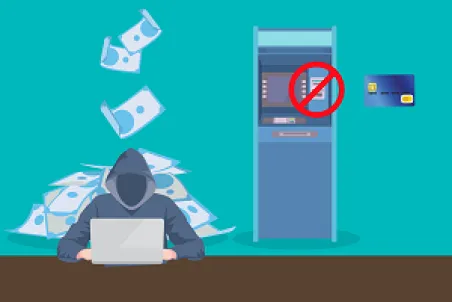
Hackers are increasingly adopting practices that legitimate business owners will immediately recognize.
Recently, a new PhaaS (Phishing as a Service) operation has surfaced that specifically targets major banks. These banks include Bank of America, Wells Fargo, Citibank, Capital One, PNC, US Bank, Lloyds Bank, Santander, and the Commonwealth Bank of Australia.
Snarkily named “Robin Banks,” the service also offers templates to steal T-Mobile, Netflix, Google, and Microsoft accounts.
The group was unearthed by analysts from IronNet, whose evidence indicates that the group has been active since at least March of this year (2022).
Even though the group hasn’t been active for terribly long, they’ve already made quite a name for themselves for their high-quality phishing pages that target customers of the organizations mentioned above.
The group has two different pricing tiers to those who wish to engage their services. Their budget option is just fifty dollars a month and offers a single page and 24/7 support. Their deluxe package is available for $200 a month and it gives their customers unlimited access to their templates, along with 24/7 support.
The service even offers a professionally designed dashboard. This allows threat actors who hire them to keep an eye on every aspect of their illicit operation, create and manage the pages they have created using the offered templates, wallet management, and a variety of other advanced tools, including reCAPTCHA services to thwart bots.
If you’re in any way associated with information security, the details above should alarm you. Robin Banks has seen their popularity on the Dark Web explode. What’s perhaps most disturbing about the service they’re offering is that increasingly, hackers don’t need a broad or deep skillset to set up an effective phishing campaign. The service does all the hard work for them.
Unfortunately, that means that IT Security just got a whole lot harder. Stay vigilant out there.
If you’re a Gmail user and you haven’t seen the change already, be aware that Google has freshened up their email interface. Don’t expect a radical change, however. This update is more of an evolution than a revolution.
Chiefly, you’ll notice that the Chat, Spaces, and Meet buttons have all been drawn closer together. This makes the left-hand sidebar of the email display look more cohesive.
At this point, it looks pretty much the same. However, Google has promised additional refinements in the months ahead, including better support for Gmail on tablets, more accessibility features, and better emoji support to name a few.
If the change has already been rolled out to you and you’re not a fan, you do have the option to switch back to the old view for now. That’s not a permanent situation. Eventually, you’ll have to make peace with the new look.
If you want your old view back, the process is both simple and straightforward. At the top right of your screen, click “Settings.” Under “Quick Settings” you’ll see an option that says: “Go back to the original Gmail view.” Click that and then reload and you’ll be all set.
Also be aware that if you don’t use some of the apps listed on the sidebar, you can selectively disable the ones you don’t need, causing them to vanish from that view.
Change is hard and it is harder for some folks than others, but we like the approach Google is taking here. Overall, we find these changes to be quite modest but we do agree that they make for a cleaner interface that offers a marginally improved user experience.
Kudos to Google for continuing to refine all their products. We look forward to seeing what additional changes lie ahead.

Do you have a MacBook with a Butterfly Keyboard? If so, keep an eye out for an email regarding the Butterfly Keyboard class action lawsuit.
Recently, Apple has agreed to pay out $50 million to settle the suit that alleged that Apple knew about flaws with the butterfly keyboard’s switches it built into several MacBook models.
The keyboards were first introduced by the company back in 2015 and proved to be incredibly unreliable. The least bit of dirt, dust, or grime could make it so that keys got stuck or stopped responding altogether.
For their part, Apple attempted several times to fix the issue, but each attempt failed. That was because unfortunately, the company never addressed the core issue, and the company eventually retired the butterfly keyboard in 2020.
The judge still must give final approval to the proposed settlement agreement. The important bit for Apple users is that if you owned a computer with a butterfly keyboard and spent money trying to have it repaired, you may be contacted once the agreement is finalized and be eligible for compensation.
There’s one rather significant catch, however. You’ll only be eligible for compensation if you live in California, New York, Florida, Illinois, New Jersey, Washington, or Michigan. People who live in other states were not included in the class.
Compensation under the agreement is broken into three tiers. First are those who got at least two top case replacements, second are those who got one top case replacement, and third are those who got one or more keycap replacements.
People in the first tier will get the most, and people in the third tier will get the least. Total payouts are expected to range from $50 at the low end to as much as $395 at the top end. That’s obviously not enough to replace your system if you happen to still be using it, but it’s a good start.
Recent Windows 11 updates have been problematic in several ways. That’s not the end of the world, but it has been more than a little frustrating for those in the test group getting a first look at the new operating system.
One recently introduced bug has been a sore spot for Windows 11 users. The File Explorer will randomly freeze and the only way to get use of it is to reboot the system.
Thankfully, that issue has been resolved as of the KB5015882 update. If you’re in the test group and have been pulling your hair out because of that issue, you’ll want to grab the update referenced above right away.
Note that this release is separate from the one the company pushed out on Patch Tuesday. This one does not contain security updates. You’ll only find bug fixes and performance updates here, with the Windows Explorer fix being the headliner of the bunch.
Although the fix to Explorer is the main reason you’ll want to get this update, it does have some other goodies to offer as well.
These include:
- An option to receive urgent notifications when “Focus Assist” is turned on. The Focus Assist feature is like a Windows Do Not Disturb mode that typically hides notifications. This addition gives you some flexibility that will allow urgent notifications to filter through.
- A new “auto update” feature that gives you the option to upgrade your system to a newer version of Windows 11 at startup if your device is eligible
- Fixes an issue that displays a non-closeable blank window when you hover over the search icon on the taskbar.
- And fixed a bug that had prevented certain troubleshooting tools from opening.
All in all, it’s a solid update and well worth grabbing at your next convenience.

A small but important feature was recently incorporated by the Windows 11 design team. A new Account Lockout Policy enabled by default has been added. This policy automatically locks user accounts (including Admin accounts) after ten failed sign-in attempts.
The account remains in a locked state for ten minutes, requiring users to wait that amount of time before they can try again.
The addition was made in a bid to prevent or at least minimize the risk of brute force attacks being made against systems. This is used in instances where different passwords are tried in rapid succession until an attacker gets a hit and is given some level of access on a target system.
It’s an excellent change because many human operated ransomware attacks rely on simple, brute force methods. Statistics gathered on the subject by the FBI indicate that between 70 to 80 percent of network breaches are because of brute force attacks.
The above describes the default settings, but Admins will have a great degree of flexibility in terms of deciding the exact policy. The number of unsuccessful attempts before lockout can be varied. The lockout duration can be varied. The option to disable Admin accounts can be toggled on or off. Of course, the entire policy can be disabled if an Admin so desires.
Interestingly, Windows 10 has a similar lockout policy but it is not enabled by default, which is the important change here.
We regard this as another of those small but important changes that the Windows 11 team is making designed to make the new OS better, safer, and more secure than anything that Microsoft has released previously.
Kudos to the Microsoft engineers who are working tirelessly to ensure Windows 11 is a smashing success. If the preview we’ve gotten to this point is any indication, it certainly will be!
There’s a new threat to be aware of if you own an android device. Microsoft recently warned that their researchers had spotted a new toll fraud malware strain wreaking havoc in the Android ecosystem.
Toll fraud is a form of billing fraud. It is a scheme whereby bad actors attempt to trick unsuspecting victims into either calling or sending an SMS to a premium number.
In this case, however, the scheme doesn’t work over WiFi so it forces the device the user is on to connect to the mobile operator’s network.
What typically happens in a non-scam situation is that if a user wants to subscribe to paid content, they need to use WAP (Wireless Application Protocol) and they need to switch from WiFi to the mobile operator’s network.
Most of the time, the network operator will send a one-time password for the customer to confirm their choice.
The threat actors running this scam don’t do that. The toll fraud malware makes the switch automatically and without informing the user. In fact, it actively suppresses warnings that might alert the user to what’s going on. The result is that the user winds up with a hefty bill for a service they didn’t even know they were signing up for.
This is accomplished via JavaScipt injection which is hardly new. Although in this case, it’s being implemented in a novel fashion and is designed to keep the whole operation as discreet as possible.
The following items happen completely under the radar:
- Disabling the WiFi connection
- Navigation to the subscription page and auto clicking the subscription button
- Intercepting the one-time password in cases where one is used
- Send the OTP code to the service provider as necessary
- And cancelling SMS notifications
This is a tricky one to defend against, so be sure your employees are aware and on the lookout for mysterious charges on their accounts.

If you haven’t heard of DuckDuckGo, it’s a tiny browser that only gets a fraction of the traffic that Google does. If we’re being honest, it gets only a fraction of the web traffic that Bing does. The search engine does have some pluck though and bills itself as the engine of choice for those who value their privacy.
In fact, blocking trackers is DuckDuckGo’s main selling point. It is the overriding reason that those who use the tiny search engine don’t simply go somewhere else.
That’s why when Jack Edwards discovered that DuckDuckGo did not stop data flows to Microsoft’s Linkedin domains or their Bing advertising domains, the company received fierce backlash from their user base, who felt betrayed.
The reason that DuckDuckGo was in the habit of letting Microsoft trackers through lies in the fact that they’re in an advertising partnership with the much larger company. To block all their trackers would be to cut off their own revenue streams and the company makes a big chunk of its revenue via Microsoft Advertising.
The backlash against the discovery, posted and widely shared on Twitter, prompted CEO Gabriel Weinberg to issue a statement.
Weinberg’s statement reads:
“Recently, I’ve heard from a number of users and understand that we didn’t meet their expectations around one of our browser’s web tracking protections. So today we are announcing more privacy and transparency around DuckjDuckGo’s web tracking protections.”
The new policy can be summed up as follows: DuckDuckGo will now block most of Microsoft’s trackers for most of the time. They are making exceptions for trackers used by Microsoft Advertising, because without that, the company would be down a vital revenue stream.
Significantly, this means that all third-party trackers affiliated with Microsoft are now blocked, and while it’s not a perfect solution, it should be enough to mollify the engine’s user base.
