






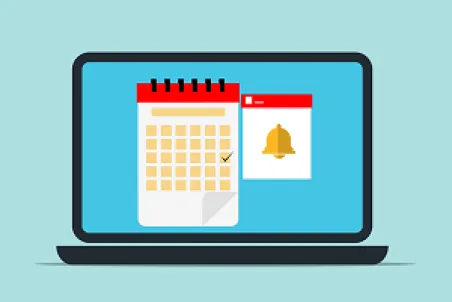
Recently, Google’s engineers introduced a small but important feature to their Calendar app. If you haven’t used the “known senders” option, you owe it to yourself to check it out.
It allows you to toggle a setting that will filter out invites from people you don’t know, with an eye toward eliminating or drastically reducing instances of invites from people you don’t know automatically appearing in your calendar.
It’s a surprisingly good addition because prior to its inclusion, you had to jump through an annoying number of hoops to filter out unknown senders. This was done in a process which forced you to disable automatic event additions entirely, meaning that you had to respond manually to every invitation.
Google had been promising this fix since 2019 but time, circumstance, and recent events including the pandemic delayed its release significantly. Its recent release received little fanfare and with everything going on, it would be no great surprise if you missed it.
It’s worth mentioning that the new setting won’t do anything to prevent you from receiving spam invitations, but they won’t land on your calendar, which is what most people are after.
It’s a small change but much more helpful than you might think. It is one of a multitude of recent improvements to a whole range of Google’s Workspace apps in recent months.
If you rely on Google Calendar to help keep yourself organized, you’re sure to love this feature.
Kudos to Google for continuing the hard work of continuous improvement with an eye toward an ever-better user experience. It is work that often goes unnoticed and underappreciated but over the last few years, we’ve seen Google’s entire suite of productivity apps improve markedly. We can hardly wait to see what further improvements lie ahead.

DuckDuckGo has a reputation for protecting the privacy of its users far more than most other companies. Last year, the tiny search engine announced that they were experimenting with a free service designed to dodge email trackers as a means of further protecting the privacy of its users.
The company’s Email Protection service works by stripping email trackers from messages.
Initially, DuckDuckGo’s Email Protection service was available via a waitlist only. You had to sign up. If/when a spot opened for you, you could test it out. During this waitlist testing period, the company reports that it found trackers in some 85 percent of incoming messages.
Now, DuckDuckGo’s Email Protection service has moved to Open Beta, so literally anyone can get a @duck.com email address. Per the company, you can create as many private email addresses as you like and they will be accessible from your desktop, iOS or Android devices.
Not only does the service promise to strip out unwanted email trackers, but it will also give you a report detailing exactly what trackers it found in your messages. It includes a new Link Tracking feature that helps prevent tracking across email links.
If that wasn’t enough, the service also includes Smart Encryption, which upgrades unencrypted HTTP links in emails to their secure HTTPS counterparts whenever possible. You can reply to messages with a @duck.com email address in lieu of whatever address you normally use.
To make use of the service, you’ll need to install the DuckDuckGo Privacy Browser for iOS or Android. Once installed, simply go to the Email Protection section of the Settings menu to try it out.
If you’re planning to use it on your desktop PC, you’ll need the DuckDuckGo Privacy Essentials extensions depending on the browser you use. It is available for Chrome, Edge, Brave, Firefox or the DuckDuckGo Mac browser. Once you’ve got the extension installed, just pay a visit to the email section of the company’s website.

On September 7, 2022, Apple hosted its annual product release event at one pm Eastern Time (ET). Tim Cook, Apple’s CEO, took the stage at the Far Out event held at the company’s headquarters in Cupertino, California, to unveil a slew of brand-new and significantly enhanced devices. The iPhone 14 and several new smartwatches and AirPods are among the latest products.
The company released three new smartwatches to add to its expanding collection.
The new Apple watch series 8 was released at the event. Apple’s newest smartwatch has a
redesigned watch face, a large display, and several safety features, including collision detection.
The standard model begins at $399, but enthusiasts may upgrade to the deluxe model for
cellular data connectivity. The Apple Watch SE’s new design is identical to its predecessor’s. The only physical difference is that the base casing is composed of a nylon composite material, making it somewhat lighter. Beginning at $249, the SE is less expensive than previous models.
The Apple Watch Ultra has a case built from a titanium composition, making it more robust than other Apple Watch models. In addition, the display brightness of the smartwatch is 2000 nits, making it the brightest among all Apple watches. Along with sophisticated algorithms for reducing wind noise, the three built-in microphones considerably enhance the overall sound quality of the device. Another notable feature of the Apple Watch Ultra is the dual-frequency GPS, which provides more precise GPS data. The Apple Watch Ultra is priced at $799.
The H2 audio chip, swipe-based volume controls, improved noise cancellation, and extended battery life are just a few of the improvements included in Apple’s AirPods Pro 2.
Despite the new features, Apple decided not to change the price from $249.
The most interesting new product unveiled by Apple is the iPhone 14, which will be available in four distinct models: iPhone 14, iPhone 14 Plus, iPhone 14 Pro, and iPhone 14 Pro Max.
Apple made several hardware and software improvements to the iPhone 14 and iPhone14 Plus, including enhanced thermal performance, a new photogenic engine to boost the camera performance, and satellite communication in the event of an emergency.
The “dynamic island” feature can only be found on the iPhone 14 Pro and iPhone 14 Pro Max. According to Apple, “the dynamic island enables new ways to interact with iPhone, featuring a design that blends the line between hardware and software, adapting in real-time to show important alerts, notifications, and activities.”
With the iPhone 14 Pro and iPhone 14 Pro Max, consumers will have access to updated
features, including improved cameras, adaptive flash, enhanced safety features, and the new A16 chip to improve efficiency.
Customers may place orders for any of Apple’s newly released items; however, the iPhone 14 Plus is not scheduled to ship until October 7, 2022.
The “Far Out” event Apple hosted was undoubtedly exciting for those passionate about the company’s products. It will be intriguing to watch how Apple continues to develop innovative approaches to continue servicing its customers.
Microsoft Teams is a part of the 365 product family and is used by more than 270 million people for exchanging text messages, videoconferencing, and file storage.
In August of 2022, the team at Vectra Protect discovered a post-exploitation vulnerability in the plaintext storage disk used by Microsoft Teams while conducting research for a client. This vulnerability gives malicious actors, with either the local or remote systems access, the ability to obtain valid user credentials. Vectra discovered that the unencrypted credential management weakness affected all commercial and GCC Desktop Teams clients for Windows, Mac, and Linux.
In a blog post dated September 13, 2022, Vectra informed the public about the vulnerability and provided an example of how the hackers may exploit it.
Vectra explained that malicious actors could impersonate the user through Teams-related applications such as Skype and Outlook while bypassing multifactor authentication (MFA). With access to team-related applications, the hackers could target other employees or impersonate senior executives inside the corporation.
Connor Peoples, a security architect at Vectra, wrote, “Attackers can tamper with legitimate communications within an organization by selectively destroying, exfiltrating, or engaging in targeted phishing attacks.”
The desktop application is especially susceptible to attack since it does not have “additional security safeguards to protect cookie data.”
While Microsoft acknowledges the concern raised by Vectra, the corporation states, “The technique described does not meet our bar for immediate servicing as it requires an attacker to first gain access to a target network.”
Given the uncertain availability of a solution in the immediate future, Vectra advises users to utilize the browser-based version of Microsoft Teams. The additional safeguards in a browser helps user avoid security vulnerabilities that could be readily exploited.
Lenovo issued a security notice informing customers of multiple serious BIOS vulnerabilities affecting hundreds of Lenovo devices across various models (Desktop, All in One, IdeaCentre, Legion, ThinkCentre, ThinkPad, ThinkAgile, ThinkStation, ThinkSystem).
Exploiting the vulnerabilities might result in the disclosure of sensitive information, an increase in privileges, a denial of service, and possibly even the execution of arbitrary code in some situations.
The following are the six flaws detailed in Lenovo’s security advisory:
- CVE-2021-28216: Fixed pointer flaw in TianoCore EDK II BIOS (reference implementation of UEFI), allowing an attacker to elevate privileges and execute arbitrary code.
- CVE-2022-40134: Information leak flaw in the SMI Set Bios Password SMI Handler, allowing an attacker to read SMM memory.
- CVE-2022-40135: Information leak vulnerability in the Smart USB Protection SMI Handler, allowing an attacker to read SMM memory.
- CVE-2022-40136: Information leak flaw in SMI Handler used for configuring platform settings over WMI, enabling an attacker to read SMM memory.
- CVE-2022-40137: Buffer overflow in the WMI SMI Handler, enabling an attacker to execute arbitrary code.
- American Megatrends security enhancements (no CVEs).
The problems have been resolved in the most recent BIOS upgrades that Lenovo has released for the affected models.
The majority of patches have been accessible since July and August of 2022.
Additional patches are anticipated to be released by the end of September and October. In addition, a limited number of models will receive updates in the following year.
The security alert contains a comprehensive list of the affected computer models, the BIOS firmware version that mitigates each vulnerability, and download links for each model.
Lenovo device owners can also go to the “Drivers & Software” website, search for their device by name, select the “Manual Update” option and then download the most recent version of the BIOS firmware.

An unknown hacker, who claims to be eighteen years old, acquired administrative access to Uber’s corporate network and proprietary internal tools on Thursday, September 15, 2022.
On September 15, 2022, at 6:25 pm PT, Uber issued a statement on Twitter that it was “responding to a cybersecurity incident.”
An attacker gained access to the account of an Uber EXT contractor. A malware-infected personal device compromised the contractor’s credentials. The contractor accepted the multi-factor authentication through a socially engineered attack, enabling the hacker access to the contractor’s account.
The hacker then acquired access to several additional employee accounts with enhanced permissions and announced on the company-wide Slack channel:
“I announce I am a hacker, and Uber has suffered a data breach…” with the hashtag #uberunderpaisdrives.
The hacker also altered the OpenDNS for some internal Uber sites to show a graphic image.
In response to the cybersecurity attack, Uber notified the appropriate authorities and its staff. In addition, the corporation disabled several internal communication and engineering systems as a precautionary measure.
On September 16, 2022, Uber announced that its services were fully functioning and that it would restore several interrupted internal tools.
The breach exposed data from the company’s Slack and G-Suite communication systems, internal financial tools, and the bug bounty dashboard on HackerOne. Uber immediately fixed all of the vulnerabilities retained within HackerOne bug reports to stop more nefarious acts.
On September 19, 2022, at 10:45 am PT, Uber released a statement saying, “we have no evidence that the incident involved access to sensitive user data.”
According to Uber, the intruder did not gain access to the production systems that power applications, any user accounts, or the encrypted database containing sensitive user data.
Uber enlisted several digital forensics companies to examine the incident and claimed it would utilize this opportunity further to bolster its policies, practices, and technology to withstand future cyberattacks better.
This incident is not the first time that cybercriminals have attacked the corporation. In 2016, the corporation paid a $100,000 ransom to hackers to prevent them from releasing stolen data.
Hackers are constantly looking for innovative ways to breach corporate networks. Cybercriminals are concentrating their efforts more on specific individuals due to the complexity introduced by multi-factor authentication. To prevent a socially engineered cyberattack like the one that compromised Uber, it is essential to educate staff members on how to identify such attacks.
Tech giant Google recently announced that it’s closing the doors on its IoT Core service. Their stated reason for doing so was that their strategic partners can better manage customers’ IoT services and devices. Time will tell if the company’s decision was a good one.
Another tech giant, Microsoft, is wasting no time and is moving heavily in the opposite direction, adding to their suite of IoT services and offering increasingly tight integration with Azure. In recent years, Microsoft has bet big on IoT, and now has an impressive stable of offerings.
Microsoft’s offerings include but are not limited to:
- The Azure IoT Hub, which serves as a central point of connection for IoT assets, allowing them to be more easily managed and monitored
- Azure IoT Central, which gives users the capability of building edge solutions via Microsoft Tools
- Azure Digital Twins, which models physical environments via “spatial intelligence”
- Azure IoT Edge, which is a platform that brings analytics to edge-computing devices
- Azure RTOS, which is a real time IoT platform
- Windows 11 IoT and Windows 10 IoT core
- And Azure Sphere, which is a Linux-based microcontroller OS platform
Microsoft is not alone in investing heavily in IoT services, however. Amazon currently has a full suite comparable to what Microsoft is offering integrated with their highly popular and widely used AWS service. So even with Google pulling out of the space, consumers still have two strong and viable options to choose from.
The months ahead will be interesting indeed as the strategies these tech giants are pursuing begin to mature, creating ripple effects across the markets they serve.
For Microsoft’s part, it appears that CEO Satya Nadella’s recent statement that the company was interested in building an intelligent cloud/intelligent edge solution has changed somewhat. It is becoming an intelligent end-to-end distributed computing solution.

Are you the type of person who is in the habit of keeping all their apps open? If so, you’re going to love a recent addition to Windows 11.
In a bid to make finding your open apps easier, once you’ve run out of room on the Windows Taskbar, they’ve introduced a new “taskbar overflow” feature. It’s a three-dot menu that appears when there’s no more space on the taskbar that hides all the other apps you are running that don’t have room to be displayed there.
This is a vast improvement over the Windows 10 overflow, which only shows the most recent app that has been used or has been opened.
If you’re not a power user, you probably won’t even notice the change. If you are, once you give the new feature a try you’ll probably wonder how you ever got along without it. In our view, it’s right up there with tabbed browsing. It’s something that doesn’t seem at first glance like it would make much of a difference, but its impact is profound.
There has been quite a lot of that kind of thinking going into the design of Windows 11, and we have to say we’re impressed by the way the new OS is shaping up so far. If this and other small but important innovations are any indication (and we absolutely believe that they are) then Windows 11 is going to be an absolute game changer when it’s released.
Kudos to Microsoft for really going the extra mile both in terms of updating and modernizing the overall Windows aesthetic and also for putting their collective thinking caps on and coming up with solutions to problems that really detract from the overall user experience. Keep up the good work, and Windows 11 is going to be amazing.

Smaller companies often struggle to develop and invest in robust IT security systems, which can leave them relatively more vulnerable to cyber attacks.
If that’s the situation you’re in and you’re trying to decide what to invest in and where to use the money that you have to spend on IT security, here’s a quick overview of the basics you need to have covered.
1 – Door Access Control
Believe it or not, this properly falls under the cybersecurity umbrella since magnetic door locks and swipe cards (or similar technology) are ultimately managed via a server on your company’s network.
If you don’t have such a system in place, we strongly urge you to consider one. Once it’s in place, regularly review who has what level of access.
In addition to that, most door security systems include some type of monitoring software, and it pays to set up automated alerts when an employee shows as deviating from their usual routine.
Example: If Linda’s regular work schedule has her swiping her card and entering the office just before 8AM, and leaving a little after 5PM and suddenly you see her coming in at 3:00 in the morning, that’s a sign that something is amiss and is well worth investigating.
2 – Encryption, Encryption, Encryption
Even if a hacker breaches your network, they can’t make use of any files they get their hands on if they can’t decrypt the data.
There are three types of encryption you want to be focused on: Encryption at rest, encryption in use, and encryption in transit. If your files are encrypted in all three states, a hacker is going to be hard-pressed to get anything useful from your network, even if they break in.
3 – Ongoing Security Training
The sad truth is that all the fancy hardware and software in the world can be circumvented by going after the weakest link in your security chain, which is always your people. If someone uses a weak password for the sake of convenience, that’s a way in for a hacker.
If someone is prone to opening email attachments from unverified sources, that’s another potential inroad. The problem is that too many employees don’t fully appreciate the security risks that these seemingly innocuous activities carry with them. Make sure they know. Make sure everyone knows.
There’s a lot more to robust security of course, and cybersecurity is constantly evolving, but if you start here, with these three items, you’ll be miles ahead.
