







As our world becomes increasingly digitized, businesses are finding themselves at a greater risk of cyberattacks. One way companies can protect their data is by encrypting it. Encryption transforms readable data into an unreadable format, making it difficult for unauthorized individuals to access and interpret it.
A recent survey conducted by Thales discovered that the utilization of encryption techniques inside enterprises is on the rise. More than 40% of respondents said that their business implemented an encryption strategy company-wide.
The survey also indicated that over 60% of businesses encrypt their data using one of two methods. Typically, companies opt to encrypt data locally or store their information in a cloud. Some companies use locally generated encryption keys when storing information on a cloud. In contrast, over 40% of businesses give cloud providers complete control over encryption and key management.
Businesses can benefit from Bring Your Own Key (BYOK) and Hardware Security Modules (HSM) to encrypt their data. BYOK allows businesses to generate and manage their own keys, while HSM provides a physical device that stores keys and helps to protect against cyberattacks. Using BYOK and HSM can help businesses keep their data safe and secure.
Both encryption strategies have advantages and disadvantages, so choosing the right approach for your company is crucial. It may be easier to manage and control local encryption, but it can also be more vulnerable to cyberattacks. On the other hand, cloud encryption is generally more secure but more challenging to manage.
Ultimately, the most effective encryption strategy will depend on a particular business’s needs, goals, and objectives. However, regardless of the approach used, encryption is a powerful tool for protecting valuable data from cyberattacks.

A cyber-security threat actor known as SocGholish has compromised a JavaScript code used by an unnamed media content provider. The malware is being used to spread the FakeUpdates malware to major media outlets across the United States.
More than 250 regional and national newspaper sites are affected by the malicious JavaScript. Some impacted media organizations include the cities of Boston, Chicago, Miami, and Washington, D.C.
The malware is disguised as a browser update. It is being distributed through advertising networks to hundreds of U.S. news websites. This campaign is particularly severe because it targets the common practice of keeping browsers up to date. Also, with the malware targeting news websites, it can reach a broad audience.
A security research team at Proofpoint Threat Research explained the malware is injected into a JavaScript file that loads on the news outlets’ website on a rotating basis to avoid detection. This prompts the website visitor to download a fake software update for their browser. Due to it rotating through the code, not all website visitors are affected.
What You Might See
When visiting a news site and after the advertising loads, an alert might appear that it is time to update your browser. The messages have been tailored to match the browser, whether you are using Google Chrome, Mozilla Firefox, or Opera. Unfortunately, if downloaded, the file contains malware instead of a security update.
The SocGholish malware serves as an initial access threat. Initial access threats are known to serve as a precursor to ransomware.
How To Prevent Being A Victim
It is easy to authenticate the update notification by navigating to browser settings. Check to see if there are any updates available within the browser controls. Hackers cannot insert their malware links into the browser code. On the other hand, alerts can be triggered by websites and website advertising.
By being aware of what you click on when visiting news websites, you can prevent being a victim of the SocGholish malware. Also, check your browser settings for updates before downloading anything that appears on your screen. Be vigilant when using the Internet since hackers constantly devise new ways to install malware onto unsuspecting victims’ computers.
According to Microsoft’s latest announcement, businesses should assess security measures to defend against evolving cyber-security threats.
Microsoft released its Digital Defense Report (MDDR) for 2022. Microsoft released alarming statistics about the cyber threats that the company has faced in the last year, including phishing, identity theft, and ransomware attacks.
Microsoft Security Update Alerts
Tom Burt is Microsoft’s Corporate Vice President and leads the Customer Security & Trust team. Burt stated that while the MDDR wouldn’t contain any “surprise” findings, all of the patterns were “going in the wrong direction.”
Burt explained ransomware is a growing threat. Cybercriminals are becoming increasingly bold in attacking large companies. Many organizations, including healthcare facilities, government agencies, and educational institutions, have been targeted by ransomware attacks. The attacks have compromised patient, citizen, and child information.
The MDDR notes that ransomware attacks can sometimes have severe consequences. In May 2022, Costa Rica declared a national emergency in response to a ransomware attack. The attack affected hospital operations and tax collections.
The increase in ransomware attacks could be due to the usage of “ransomware-as-a-service (RaaS).”RaaS allows individuals to launch attacks by paying for access to existing tools.
A Word From Microsoft On Security
According to data, most ransomware attacks use “OS-built tools” that alter existing backup and protection solutions.
In 75 percent of attacks, “acquired elevated compromised user accounts” were used to spread malware.
The report explains the importance of using multiple security measures to protect credentials. Some security measures include using multi-factor authentication (MFA).
A change in credential methods may pose security challenges of its own. The MDDR discusses MFA fatigue. This is where malicious actors persistently attempt to access the user’s account. The threat actor hopes that the account owner will eventually grow tired of the MFA notification and approve the login attempt.
As a solution, Microsoft suggests using authenticator apps that don’t rely on alerts. Instead, these apps use temporary codes delivered within the app. Some free alternatives to traditional two-factor authentication are Microsoft Authenticator, Google Authenticator, and Twilio’s Authy.
Trust in no one
Additionally, Microsoft promoted a Zero Trust approach this year. A zero-trust workplace assumes every employee is a security risk.
Microsoft suggests some security practices such as confirming user identities and only granting limited access to data.
While Zero Trust can be uncomfortable, it’s vital for companies to protect themselves against cyber threats.
Services for protecting data from Microsoft
The MDDR explains the best ways to protect against existing dangers and those that reflect new trends.
For companies to better detect and respond to threats, Microsoft recommends using some of its products. Microsoft can offer assistance during ransomware attacks as well as cloud-based protection through Microsoft Defender for Endpoint.

While holding its Zoomtopia event on November 8, 2022, the video conferencing giant announced the release of two brand-new productivity tools for Zoom users.
In addition to the communication and collaboration tools already provided within Zoom, the newly released Zoom Mail and Calendar Clients are intended to increase users’ productivity.
A beta version of Zoom Mail and Calendar Clients has been released. Zoom Mail will enable users (free or paid) to access their existing email accounts directly from the Zoom desktop application. The Zoom Calendar makes it easy for employees to schedule and join meetings on their existing calendars.
According to a recent study by Harvard Business Review, employees spend about four hours a week switching between applications. Zoom reduces the time users spend toggling between applications by allowing users to access their email alongside other applications. Consequently, employees can focus more on their work.
Aside from the Zoom Mail and Calendar Clients, Zoom announced a hosted email and calendar service. Through the new Zoom Mail Service, Zoom One Pro and Zoom Standard Pro customers in the US and Canada can create an email account hosted by Zoom at no additional cost. Additionally, customers may create custom domains through Zoom One Business and higher plans.
Businesses with limited IT resources, such as small-to-medium businesses (SMBs) wishing to enhance their business communication privacy, can use Zoom Mail Service. End-to-end encryption of Zoom Mail emails is available for emails sent between active Zoom Mail Service users and emails with access-restricted links for external recipients.
With Zoom, users can book appointments and access notes, recordings, and attachments without leaving the application.
As part of Zoom’s efforts to expand beyond video conferencing, the company also introduced Zoom spots, Zoom Team Chat, Zoom Virtual Agent, smart recordings, and avatars for video calls.
Zoom has introduced several new productivity tools to make it easier for users to access their email accounts and schedule meetings. These new features will be especially beneficial for businesses with limited IT resources. In addition, by providing end-to-end encryption for emails, Zoom also ensures that business communication privacy is maintained. Overall, these new features will make Zoom an even more powerful tool for businesses and individuals who use it for video conferencing and collaboration.
Virtual private networks (VPNs) are used to give users remote access to resources on corporate networks. However, several factors have revealed incompatibilities between VPNs and Zero-Trust security systems.
Businesses are worried that VPNs are becoming a severe threat to their operations. According to a report by Zscaler, nearly half of information technology professionals have seen an increase in VPN attacks since moving to remote networks.
The Zscaler report surveyed more than 350 information technology experts working with international workforce companies. 65% of businesses are considering VPN alternatives, and 80% of those are actively pursuing a Zero-Trust security strategy.
What is Zero-Trust Security?
According to the Zero-Trust security concept, trust cannot be given to any user, device, or web app. Therefore, unlike a security infrastructure built on a VPN, every data exchange can be considered a threat.
The Zero-Trust security concept is founded on three main ideas. The first step is to verify, authenticate, and approve every connection attempt consistently.
A second step is reducing risks; users and applications should only have the necessary access to complete their jobs.
Finally, a Zero-Trust architecture is created to minimize the impact of attacks and breaches.
Recent high-profile breaches are showing VPNs have become a frequent target of cybersecurity attacks. Using a Zero-Trust architecture can help safeguard against the evolving threat landscape.
It’s no secret that cyber attacks are on the rise, and that no company is immune to them. Dropbox, a cloud storage company, was the lastest victim when their GitHub account was compromised. This allowed attackers access to 130 code repositories, which contained sensitive data.
Dropbox was notified of a potential breach on October 14th from GitHub, who observed suspicious activity coming from the account starting one day earlier.
On Tuesday, November 1, 2022, Dropbox released an announcement that said, “our investigation has found that the code accessed by this threat actor contained some credentials—primarily, API keys—used by Dropbox developers.”
The data contains the names and email addresses of a few thousand Dropbox employees, current customers, past customers, sales leads, and vendors.
A successful email phishing campaign, targeting Dropbox employees and pretending to be from CircleCI (a continuous integration and delivery platform), has been attributed to a recent data breach. The emails directed the victims to a landing page where they were asked to enter their GitHub credentials.
Dropbox states that the hackers did not manage to get access to customers’ accounts, passwords, or payment information. In addition, none of Dropbox’s core apps or infrastructure were compromised. As a result of this attack, Dropbox is taking further steps to secure its environment by using WebAuthn and hardware tokens or biometrics.
It was almost immediately after the compromise that GitHub detected the exfiltration of content from private repositories. The threat actors used VPNs and proxy services to make it more difficult to trace and identify them.
The Dropbox security breach is just one example of how even big companies are susceptible to damage by sophisticated cyber attacks. But while Dropbox was quickly mitigate the damage caused by the attack, it’s a reminder to all businesses that they’re always vulnerable to these kinds of threats. Therefore, it’s important for employers educate their staff on how identify potential cyberattacks.
Recently, Verizon experienced a minor but significant data breach. Between October 6, 2022, and October 10, 2022, an unknown malicious actor gained access to Verizon’s prepaid wireless accounts, compromising approximately 250 individuals.
According to a letter to customers, Verizon discovered the breach after noticing “unusual activity” on its network.
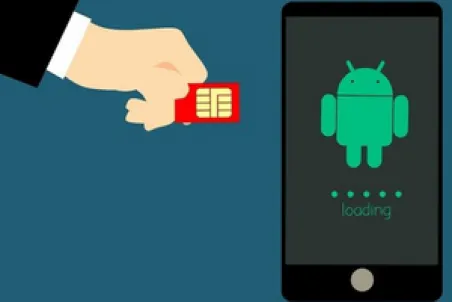
Due to the data breach, a SIM swap attack has been launched. Threat actors can take over the target’s phone number by convincing their mobile carriers to switch the target’s number to a SIM card controlled by the attackers.
Verizon warned its customers that the breach exposed the last four digits of their credit card numbers, which could result in fraudulent SIM card swaps. Additional customer data such as phone numbers, mailing addresses, account plans, and credit card information has been compromised. Verizon has confirmed that the attack did not compromise bank account information, passwords, social security numbers, tax IDs, or other sensitive information.
As a result of the data breach, Verizon reset the account security codes of an unspecified number of accounts.
Verizon reported that the company had successfully blocked any further unauthorized access to its customer’s accounts. Additionally, Verizon stated that it did not find any indication that the malicious activity was still ongoing.
Verizon’s customers can protect themselves from SIM swapping attacks by activating the company’s free “Number Lock” protection feature. Once a phone number is locked, it cannot be transferred to another device or service provider. Unless the account owner removes the lock, SIM swapping will be impossible.
Verizon users are urged to reset their pin codes, update passwords, and modify security questions to protect themselves against future attacks.
Customers are encouraged to review their information by logging into their Verizon account. Those who notice anything unusual should get in touch with Verizon directly.
The Verizon data breach serves as a reminder that even well-established businesses are susceptible to attack. However, customers can take steps to protect themselves, such as utilizing the ‘Number Lock’ security feature. By taking precautions and monitoring their accounts, customers can help ensure the security of their information.

In recent years, the use of advanced technology in the office has increased in popularity among businesses to improve their efficiency, productivity, and effectiveness. Whether running a small or large company, it is important to know that utilizing a dual monitor setup in your office can provide quite a few advantages.
Effortless Research
It is very useful for employees who conduct research on a regular basis to have a second monitor at their disposal. By using two monitors at once, employees can view different sources at the same time, rather than having to switch between other tabs on their screen. This results in a more meaningful and effective comparison, which produces a higher quality product.
Work Efficiently
It can be challenging to manage multiple applications with only one monitor. A multitasking environment needs enough screen space to maintain multiple applications at once. Using a dual monitor setup, employees won’t have to scroll up and down the screen or resize windows to fit the information they need into the limited space available. Users can achieve greater accuracy when working with dual monitors because of the increased visibility the dual monitors provide.
Increase Productivity
According to studies, employees can also boost their productivity by up to 30% when using dual monitors in their workstations. As a result, employees will be able to work more efficiently as they won’t have to switch tabs as often, so they’ll be able to accomplish more tasks more quickly.
A dual monitor system allows users to display multiple applications simultaneously on the same screen, including web browsing, email, and multimedia. Using dual monitors at the workplace can help employees become more efficient and productive by enhancing their efficiency and productivity.

There is no doubt that Zoom has become very popular in the business and academic sectors, as it is widely used for video conferencing and voice-over IP (VoIP).
Zoom issued a security bulletin at the beginning of October, informing users that an update was now available for download in response to an identified security flaw. CVE-2022-28762 has been identified as a vulnerability by Zoom and has been patched accordingly.
Specifically, this problem appears to affect the macOS Zoom client from versions 5.10.6 to 5.12.0. It is important for users to make sure they have the latest version of Zoom installed on their computers. When using the Zoom desktop client on a Mac, users can look at the current version number of the video conferencing software that is currently installed by clicking “zoom.us” in the menu bar.
It is possible for users to manually update the software by checking for updates in the “About Zoom” section of the software.
Vulnerability
The macOS Zoom client is vulnerable to local attacks by malicious users because of a vulnerability identified in the open debugging port of the client.
The vulnerability identified by Zoom was rated 7.3 out of 10 by the CVSS (common vulnerability scoring system), which indicates it is a severe issue.
Zoom recommends that all users update their software to the latest version as soon as possible to protect themselves from potential security vulnerabilities.
The safety and security of Zoom’s users are a top priority for the company. Although the CVE-2022-28762 vulnerability is severe, it can be fixed by updating Zoom to the most recent version. It is highly recommended that users check the version that they are currently using and update it accordingly.
