







Security experts at Akamai have discovered a campaign that uses an elaborate phishing kit. This campaign targets Americans using lures centered around holidays like Labor Day and Halloween.
The kit combines several methods and employs several evasion detection techniques to prevent non-victims from visiting its phishing pages.
One of the most intriguing aspects of the kit is a token-based method that ensures each victim is forwarded to a different URL for a phishing page.
Campaign summary
The scheme preyed on internet customers searching for “Christmas deals” from September 2022 through October 2022.
The potential to win a gift from a respected company is the main focus of the phishing emails addressed to prospective victims.
The links in the email are not suspicious since they connect to the phishing site via a series of redirects, while URL shorteners disguise the majority of URLs. Additionally, the attackers utilize reputable cloud providers like Google, AWS, and Azure, taking advantage of their good reputation to get beyond security measures.
After completing a brief survey, everyone visiting the phishing website is awarded the prize. A five-minute countdown ensures that individuals completing the poll feel a sense of urgency.
To make the scheme harder to detect, the surveys imitate many well-known companies, like Sam’s Club, Costco, and Delta Airlines. The phishing actors also include false user testimonials showing off the rewards they’ve won to boost the campaign’s efficacy.
The victims are prompted to provide their payment information after “winning” the item in order to settle the shipping expenses for the prize. But, of course, there is no reward to be delivered, and the threat actors steal the credit card information instead.
According to Akamai, about 89% of visitors to phishing sites originate from the United States and Canada.
Distinct URLs
Each phishing email includes a link to a landing page with an anchor (#), which sends a visitor to a specific section of the linked-to website.
In this phishing effort, the anchor tag contains a token JavaScript utilizes on the phishing landing page to rebuild the target’s destination URL. These tokens can be used for various purposes, including screening out non-victims, victim-specific tracking, campaign performance evaluation, and more.
According to Akamai, the values after the HTML anchor will not be regarded as HTTP parameters and won’t be delivered to the server. However, the victim’s browser’s JavaScript code will still be able to access this value.
The value inserted after the HTML anchor in the context of a phishing scam may be disregarded or missed when checked by security tools that determine whether it is malicious or not. Also, a traffic inspection tool will similarly overlook this number.
The kit incorporates nearly all successful and detection-avoiding strategies, making it a serious danger to North Americans.
Consumers should be extremely cautious when they get communications touting promotions and special deals since Black Friday and the Christmas shopping season are quickly coming.

Lenovo reports that it has patched two critical security flaws that affected several of its ThinkBook, IdeaPad, and Yoga laptops. Lenovo is also recommending that consumers update their systems immediately.
The flaws make it possible for cybercriminals to deactivate the UEFI Secure Boot tool, allowing them to load and run malicious scripts during the system boot process (before the OS is brought up).
Most antivirus programs become worthless when malware loads before the OS and makes the malware resistant to OS reinstallations.
This vulnerability isn’t a problem in the code but rather a human error, as researchers from ESET discovered Lenovo inserted an early development driver by accident. This caused these vulnerabilities and made the assaults feasible.
ESET said in a Twitter thread that “the problematic drivers were intended to be utilized exclusively during the manufacturing process but were inadvertently included in the production.”
Cyber attackers must create a unique NVRAM variable to take advantage of the weaknesses, supporting ESET’s conclusion that UEFI firmware developers shouldn’t utilize NVRAM as trusted storage.
The corresponding CVE numbers for the two vulnerabilities in question are CVE-2022-3430 and CVE-2022-3431. In addition, the media also highlighted a third identical vulnerability, listed as CVE-2022-3432. However, this one only affects one Lenovo model, the Ideapad Y700-14ISK, and Lenovo indicated it would not be delivering a remedy because this device has already passed its end-of-life.
Anyone who thinks they may be at risk from the abovementioned problems should check Lenovo’s security bulletin to determine if their particular model is included. The CVE IDs include a list of the firmware revisions that correct these problems.
Users of Lenovo devices have previously needed to upgrade their firmware to thwart boot hijacking.
Three significant security flaws affecting several Lenovo computers were found in July 2021 and addressed. However, even then, the ReadyBootDxe driver flaw discovered by some Lenovo laptops and two buffer overflow flaws found in the SystemLoadDefaultDxe driver may have allowed threat actors to take control of Windows installations’ starting process.
More than 70 endpoint models from the Yoga, IdeaPad, Flex, ThinkBook, V14, V15, V130, Slim, S145, S540, and S940 Lenovo lineups were all impacted.
The flaws were identified as CVE-2022-1890, CVE-2022-1891, and CVE-2022-1892, respectively.
Lenovo recommends that consumers update their systems immediately to protect themselves from cyberattacks. The company has also released a security bulletin to determine if your particular model is affected by the two critical security flaws.
The feature is comparable to Apple’s ‘App Tracking Transparency. However, unlike Apple, DuckDuckGo’s method does not rely on app developers’ compliance with user choice.
All known trackers are blocked.
According to DuckDuckGo, Android users have an average of 35 applications installed on their smartphones, resulting in between 1,000 and 2,000 monitoring attempts every day for over 70 tracking organizations.
As users go about their daily lives using their mobile devices for things like online browsing, playing games, and checking the weather, the App Tracking Protection will ostensibly block any tracking attempts in the background.
The blockage occurs without discernible impact on device speed, which has been enhanced in the newest version of the app (v5.143.1).
Tracking is blocked based on a growing and updated list of known trackers, regardless of the user’s selection in the tracking request dialogs often given within applications.
To use the functionality, launch the DuckDuckGo app on Android, go to Settings More from DuckDuckGo, and then activate App Tracking Protection.
The functionality works by installing the DuckDuckGo for Android app on the device as a VPN, allowing it to filter traffic from other applications and disable trackers. However, unlike a typical VPN, it does not give privacy when surfing the web or connecting to external devices and can only be used locally.
According to DuckDuckGo, the App Tracking Protection employs a local VPN connection, which means it performs its magic without transferring app data to DuckDuckGo or other distant servers.
Those interested in determining how dangerous each program is to their privacy can utilize App Tracking Protection’s real-time view to check which trackers are loaded and disabled.
App Tracking Protection is a robust tool, but users should remember that it is currently in experimental testing. As a result, it may cause sites or applications to malfunction, specific trackers to go unnoticed, or performance concerns. You may turn off the functionality if you encounter any of these problems.
The release of the App Tracking Protection beta for Android is a significant step forward in the battle against tracking. By blocking tracking attempts in the background, DuckDuckGo is helping to protect users’ privacy and security. While this beta may still have some issues, it is a valuable tool that should be considered by anyone who wants to protect their online privacy.
Accountability can be a tricky thing when it comes to your remote employees. It’s something that even seasoned managers struggle with.
If that’s the boat you find yourself in, take notes! In this article, we’ll outline some simple and effective ways you can foster and develop accountability in your remote teams without having to micromanage.
Transparency
The first step in building accountability is to use specific, consistent metrics to measure job performance. This will of course vary from one job to the next, but it’s important that the metrics you use for your remote employees are identical to the ones used for your in-office group. After all, if they’re doing the same job, then it shouldn’t matter where the work is being performed and your measures of success should be identical.
Every bit as important as that is the fact that they should be clearly communicated so that everybody knows ahead of time exactly how their performance will be measured. There’s power in that knowledge, so give it freely.
Excellence In Communication
Recognize that one of the biggest challenges that remote workers encounter is isolation. They feel disconnected from the work and from the rest of their team. Good, multi-channel communication is a key component of countering this. That means that you should be in regular contact with your remote workers via email, phone calls, messaging apps, and whatever other tools you have at your disposal.
Note that not all communication should be work related. A human touch is key, so just reach out at regular intervals to check in. Also, ask your employees how much communication they need from you.
Again, this will vary from one employee to the next and everyone’s tolerance for micromanagement is different. Find those boundaries for each employee and respect them. It shows that you trust them to get the work done and that trust will be rewarded.
Finally, note that your remote employees don’t just need to hear from you. Part of your job as a manager is to make inter and intra team communications frictionless. It should be easy for your remote employees to reach out to any other member of their team, and even people in other functional areas of your company.
If you do both of those things and do them well, your employees will feel connected to the company and the work they are doing. They’ll know that you trust them to get the job done and they’ll know precisely how their performance will be measured. That not only builds an architecture of accountability, but it also sets your remote employees up for success.
David Schütz, a cybersecurity researcher, inadvertently discovered a means to circumvent the lock screen on his fully updated Google Pixel 6 and Pixel 5 devices, allowing anybody with physical access to the smartphone to unlock it.
Bypassing the lock screen on Android smartphones is a straightforward five-step method that should only take a few minutes.
Google repaired the security flaw in the latest Android version issued last week, although it has been exploitable for approximately six months.
Inadvertent discovery
Schütz claims he found the weakness by accident after his Pixel 6 ran out of power, he proceeded to mistype his PIN three times, and then he used the PUK (Personal Unblocking Key) code to unlock his SIM card.
After unlocking the SIM and entering a new PIN, the device did not prompt him for the lock screen password, instead requesting a fingerprint scan.
For security reasons, Android smartphones usually request a lock screen password or pattern upon startup; thus, moving directly to fingerprint unlock was unusual.
The researcher kept investigating, and when he tried duplicating the weakness without rebooting the device, he realized it was feasible to skip the fingerprint as long as the owner unlocked it at least once since the reboot.
This security vulnerability has a broad impact, including all devices running versions of android 10, 11, 12, and 13 that have not applied the November 2022 patch.
Having physical access to a device is an essential requirement. However, the vulnerability can have serious consequences for persons with violent relationships, anyone under law enforcement investigation, owners of stolen electronics, and so on.
To gain unrestricted access to the victim’s smartphone, all the attacker needs to do is utilize their own SIM card on the target device, input the incorrect PIN three times, and supply the PUK number.
Patching by Google
The problem is caused by the keyguard being incorrectly terminated following a SIM PUK unlock.
When Schütz input the right PUK number, two separate components called a dismiss function; one that constantly keeps tabs on the SIM state and another that handles PUKs. This resulted in the dismissal of the PUK security screen and the following security screen in the stack.
The user would go straight to the home screen if there were no additional security screens.
Google received the vulnerability report from Schütz in June 2022, and while they accepted it and gave it the CVE ID CVE-2022-20465, they didn’t make a remedy available until November 7, 2022.
To solve this problem, Google has added a new argument to every “dismiss” call that specifies the security technique being used, allowing “dismiss” calls to be used to dismiss only certain security screens rather than the next one in the stack.
Despite Schütz’s report being duplicated, Google made an exception and paid the researcher $70,000 for his discovery.
Android 10, 11, 12, and 13 users may fix this problem by installing the November 7, 2022, security update.
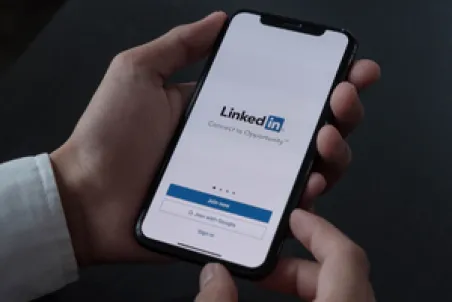
According to a KrebsOnSecurity article, the recent growth of phony LinkedIn accounts is causing an identity crisis for the business networking site and organizations that rely on it to hire and evaluate new workers.
The fake LinkedIn profiles, created with content stolen from authentic accounts and AI-generated profile pictures, are giving corporate HR departments and invite-only LinkedIn groups enormous issues.
KrebsOnSecurity looked at a large number of fake LinkedIn profiles that claimed to be Chief Information Security Officers (CISOs) at companies like Biogen, Chevron, ExxonMobil, and Hewlett-Packard.
Users have noticed an increasing trend of suspicious accounts attempting to access numerous invite-only LinkedIn groups.
Researchers claim to have contacted LinkedIn’s customer service, but the platform hasn’t found a solution for this problem. One possible way of approaching this issue is by requiring specific organizations to give a complete staff list, then blocking all fake users claiming to work at that company.
Researchers have not been unable to determine who is behind this flood of imposter professionals. Still, they have also had difficulty pinpointing the motivations behind it since most accounts do not appear to be monitored.
According to cybersecurity firm Mandiant, hackers could exploit these identities to gain employment in organizations as part of a multi-stage campaign designed to steal money.
Additionally, there is proof that organizations like Lazarus utilize fake LinkedIn profiles to spread malware, viruses, and other information theft methods among job seekers.
LinkedIn is evidently struggling with a proliferation of fake accounts. These phony profiles can be used to distribute viruses, malware, and other schemes for stealing information. LinkedIn is considering the idea of domain verification to tackle the growing problem. However, it is not clear if this will be enough to stop the flood of fake accounts.
When you’re a business owner, you always look for ways to streamline processes and improve efficiency. A single sign-on (SSO) system is a great way to simplify authentication. It allows users to access multiple applications with just one login credential, saving them time and money as well as reducing the number of lost or forgotten passwords. As a result, implementing SSO in your business can make it run more smoothly and efficiently.
What is SSO?
Single sign-on enables users to access several applications or websites without logging into each one individually. For example, you can access other Google applications after logging into your Google account.
How does SSO Work?
SSO works by generating and storing an authentication token on the user’s browser or in the SSO provider’s servers. Then, when users visit a new app or website, the SSO provider will verify their identity and grant them access.
Enhanced Security
Single sign-on for your business offers many benefits. In addition to saving time and money, it also reduces the risk of cybercrime. Employees have one password to remember, so they can make it more difficult and, therefore, more secure. As account management is simplified, a single sign-on solution provides more security.
SSO simplifies account management so that IT departments can enforce password security regulations more easily. Most organizations require employees to change their passwords on a regular basis. With SSO, employees only need to change one password instead of having to reset numerous passwords across several applications and services each time. The IT administrator can also benefit from SSO by setting time limits. After a certain period, employees are required to reenter their login information. Thus, businesses can prevent dormant accounts from gaining access to company data by ensuring employees are still logged in on signed-in devices.
Increased Productivity
By eliminating the need to remember multiple credentials, employees can free up time that would otherwise be spent logging in and out of different applications. SSO can also reduce the number of password reset requests since employees will only need to remember one. Additionally, SSO can help reduce the number of password reset requests. This will allow IT staff to devote more time to critical tasks, resulting in increased productivity for employees and IT departments.
Simplified User Management
Using single sign-on also simplifies user management for organizations, with many users using multiple apps and monitoring their access to various resources. Single sign-on also provides a central location for managing users and their permissions. Doing so saves time and ensures that sensitive information cannot be accessed by anyone other than authorized individuals.
Single sign-on offers many benefits to your business. Not only does it save you time and money, but it also reduces the risk of unauthorized access to your company’s data. The benefits of SSO in your business include enhanced security and increased productivity. Single sign-on is an excellent solution if you’re looking for an efficient way to streamline processes in your business.

It’s getting easier than ever to conduct effective phishing campaigns thanks to the rise in popularity of SaaS platforms.
A recently published report released by Palo Alto Networks’ Unit 42 revealed that the use of Software as a Service to conduct phishing attacks has surged by an incredible 1,100 percent between June 2021 and June 2022.
Driving this surge is the simple fact that a hacker needs only a limited skill set to build a convincing looking version of a legitimate corporate website using tools commonly available in most SaaS services. Even better, from the hacker’s perspective, is the fact that they can easily swap website templates out. That means when they’re ready to stop targeting Company A and switch to targeting Company B, doing so is quick and easy.
Another advantage hackers are finding when it comes to leveraging SaaS to conduct their campaigns is the fact that SaaS platforms are known for their impressive uptime, so there’s seldom a worry that the service in question won’t be available. By using such platforms, hackers can more easily evade alerts from email security systems, making it more likely that their attacks will ultimately succeed.
The detailed Unit 42 report breaks SaaS platform into six different categories: form and survey builders, website builders, documentation writing platforms (which includes note-taking platforms), personal portfolio services, file sharing, and site hosting services.
While services in all six of these categories have seen rampant growth in use by hackers, form building services are currently the most abused of the SaaS platforms and the surge seems to have started in October 2021.
What this means for IT Security professionals is that you’re very likely to see an increasing number of phishing attacks in the months ahead. The easing of technical barriers has opened the proverbial floodgates.

There are many reasons why staff may be required to put customers on hold. However, Voice-over Internet Protocol (VoIP) technology can be utilized to ensure that callers do not feel abandoned during this time. In addition, VoIP systems offer the option of entertaining customers while they wait in line. Some possibilities are playing engaging music, explaining new promotions or sales, and delivering exciting marketing messages. It is an excellent opportunity for your marketing message to reach a captive audience while the customer is on hold. VoIP systems allow you to record various messages based on the caller’s purpose. For example, an individual trying to contact the sales department may hear information about current sales, promotions, or special offers during the on-hold message. You can customize the messages to ensure callers know that an agent will address their concerns. Then, while a customer is waiting, the company can provide new information and captivating anecdotes. Using VoIP features to entertain and inform customers, companies can dramatically improve their customers’ on-hold experiences. VoIP services provide more options for music on hold than traditional phone systems. A caller who hears music on hold is likelier to stay on the line than one who hears silence. A VoIP system allows businesses to upload audio files instead of relying on legacy tools’ loops. In addition, VoIP systems allow companies to set several parameters that may enhance the customer experience. Some features that VoIP offers are: determining the frequency and duration of a track, whether the music continues when the caller is put back on hold, and the arrangement of tracks. VoIP can transform monotonous on-hold experiences into more enjoyable ones by providing customers with a more satisfying and engaging experience.
